Take control of digital habits. App Ranger helps parents limit gaming time, block distracting or inappropriate websites, and ensure healthy screen usageβall while keeping your family's data 100% private on your device.

Powerful tools to help you manage your family's screen time effectively.
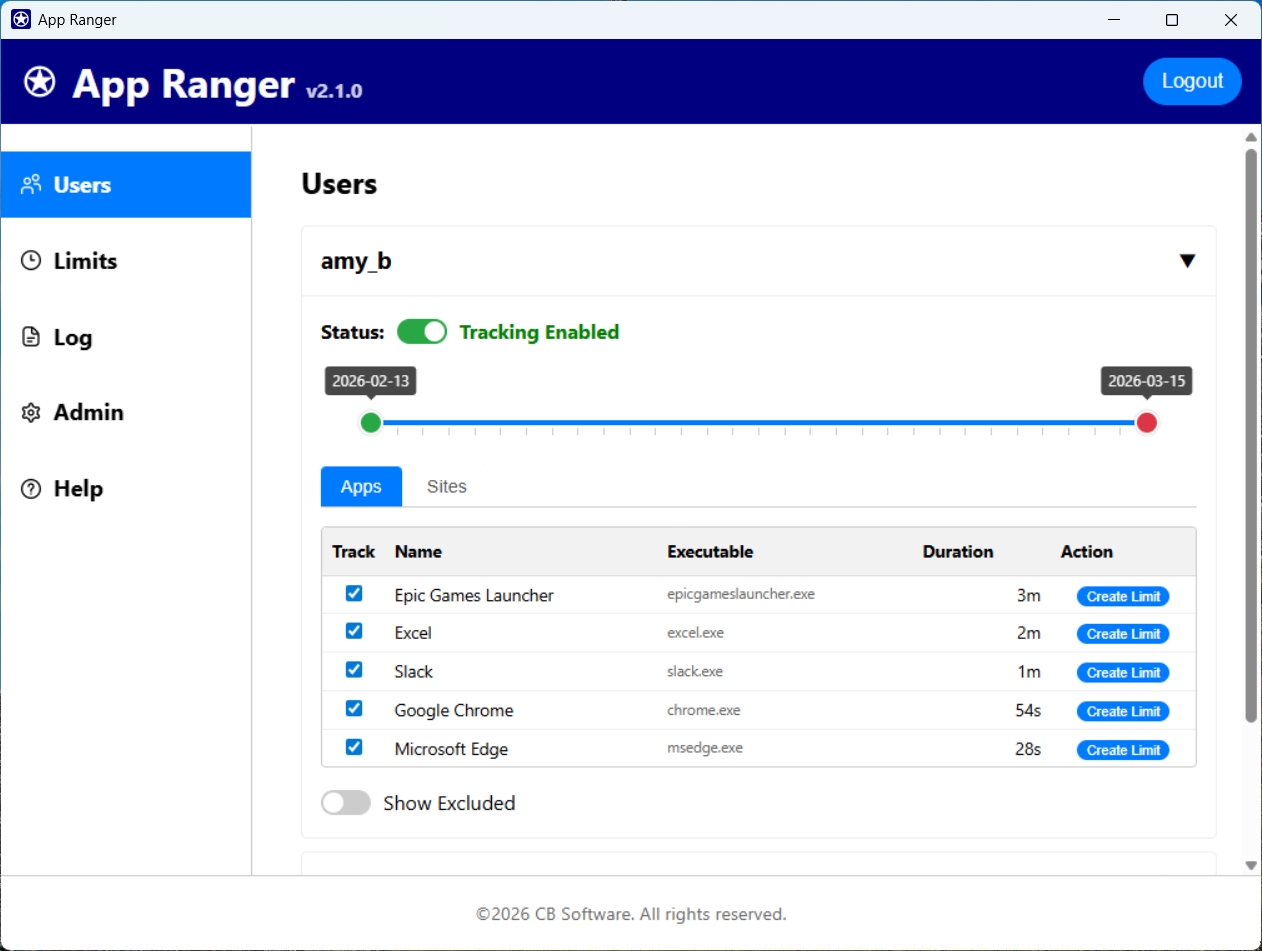
Monitor activity. View detailed reports of app and site usage, and easily create new limits directly from the activity view.
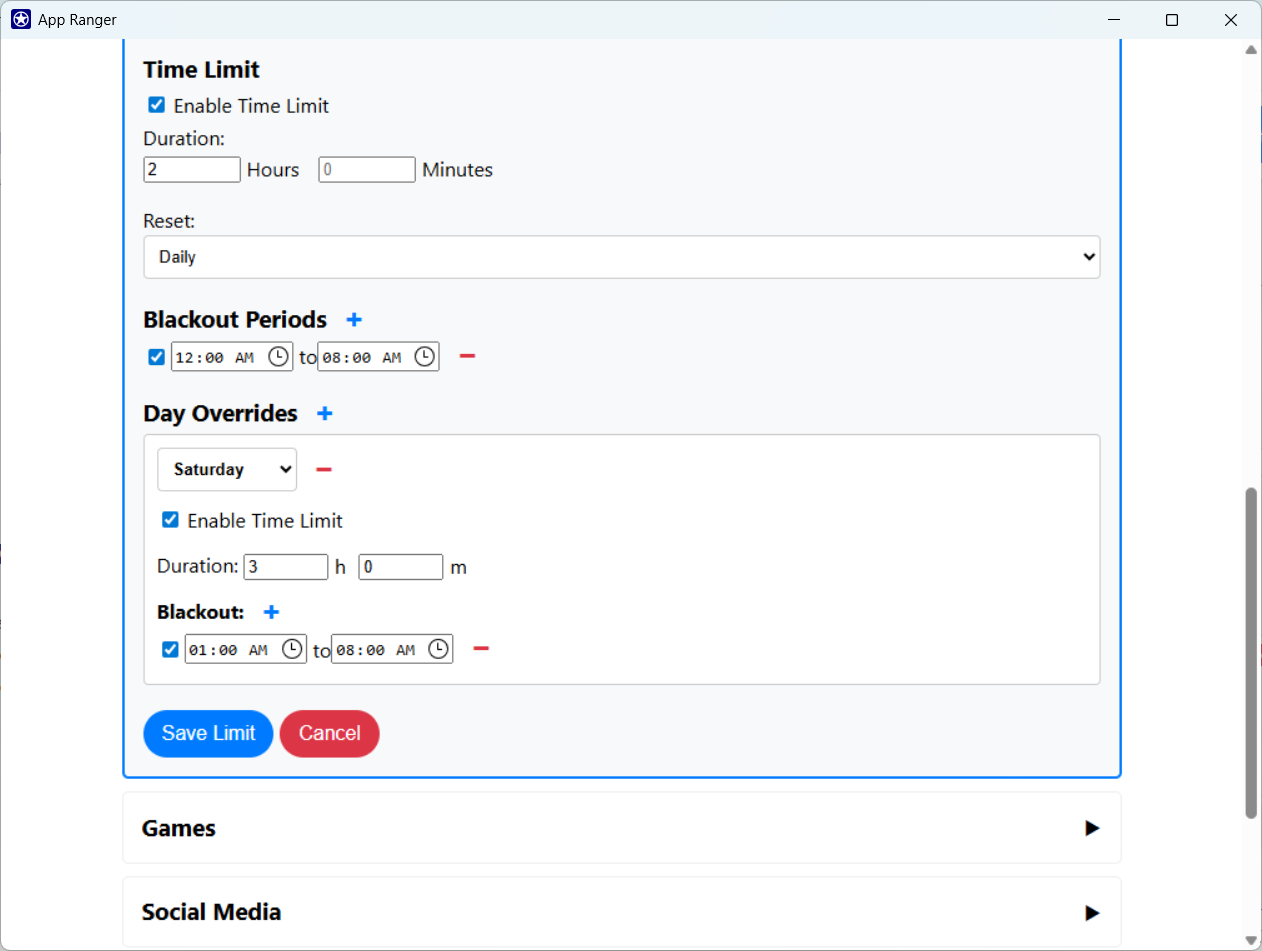
Set daily or weekly usage limits for games, social media, or any other application. Once the time is up, the app closes automatically.
Ensure bedtime means bedtime. Schedule "Blackout" times where specific apps cannot be opened at all, perfect for sleep or study hours.
Create a safer web environment. Block distracting or inappropriate websites in browsers to keep focus where it belongs.
Your data never leaves your computer. All configuration, logs, and usage history are stored locally in a secure database.
Tamper-proof settings. Lock your configuration with a password and security questions so limits cannot be bypassed without your permission.
Gain insights into digital habits. View comprehensive reports showing exactly which applications and websites are being used. Spot a distraction? Create a new limit directly from the activity report to curb excessive usage immediately.
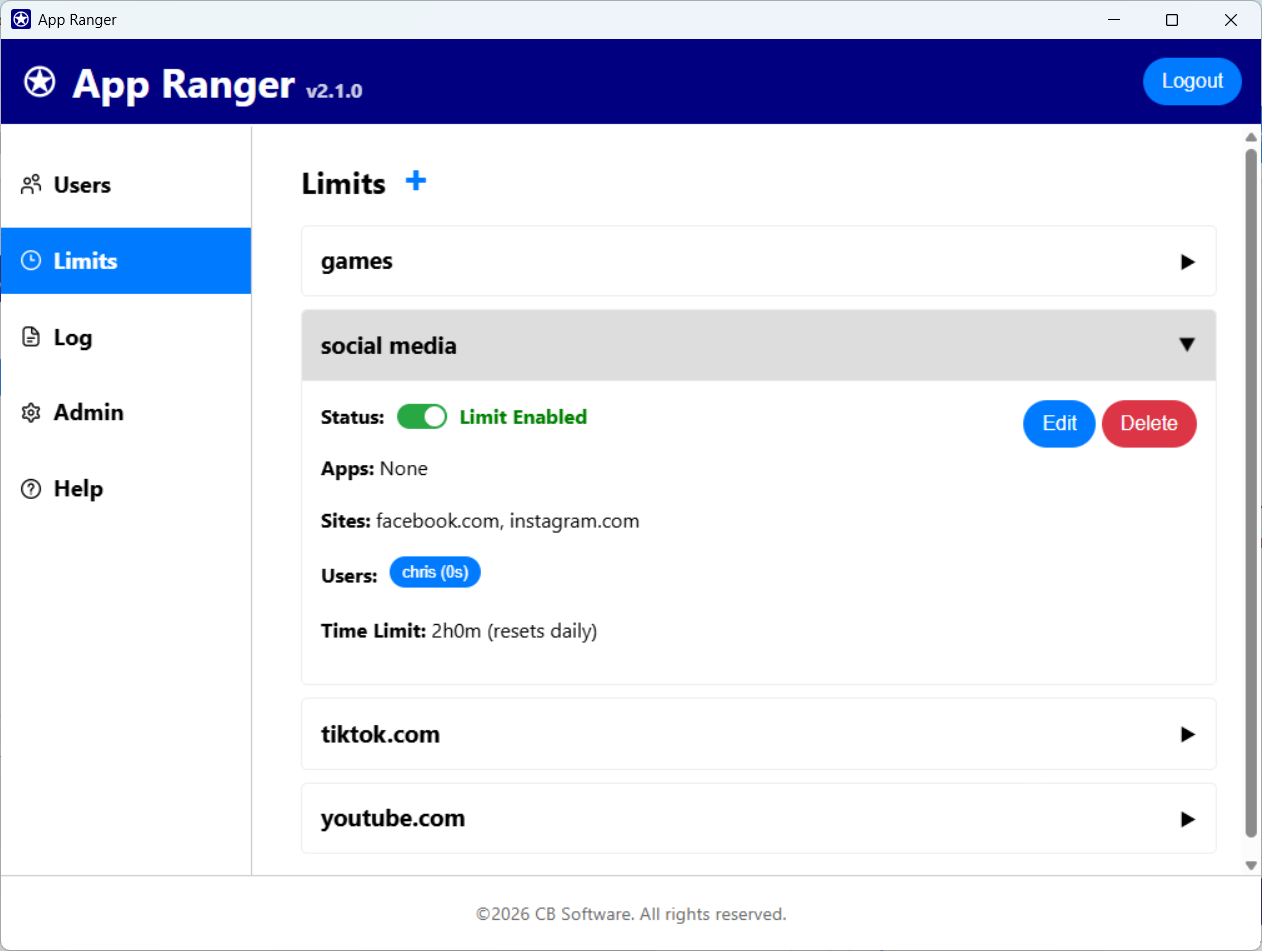
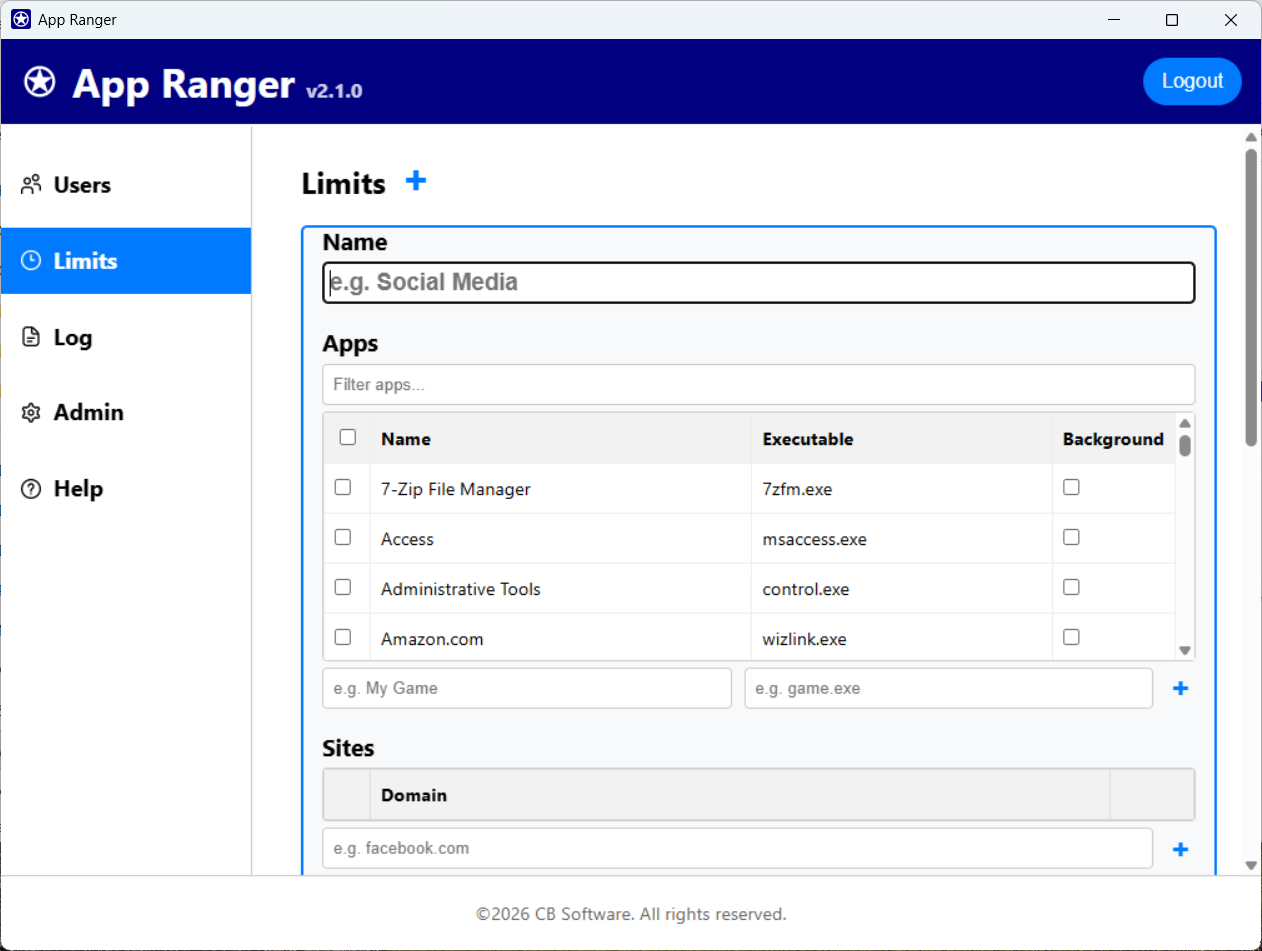
Set limits for specific applications, websites, or create groups. You can bundle multiple apps and sites under a single rule, like "Social Media" or "Games," to manage them together.
Easily choose from a list of all installed applications on your system. App Ranger scans your computer so you can simply check the boxes for the apps you want to limit.
Life isn't the same every day. App Ranger allows you to create custom limits with day-specific overrides. Allow more gaming time on weekends while keeping strict limits during school nights.
"Finally, an app blocker that actually works and doesn't sell my data. The blackout feature ensures my kids actually get to sleep on time."
"Simple to set up but powerful. I use it to limit my kids' gaming time on the family PC. The password protection is great."
"I love that it runs as a Windows Service. It's robust and reliable. The web interface is clean and easy to use."